
AI for Content Creators: Essential Tools to Try in 2026
Every AI content creator needs these 12 tools in 2026 — writing, design, video, and audience analytics — plus a one-person production workflow that scales.
The world of content creation has changed dramatically in the last two years. The rise of generative AI has opened possibilities that once existed only in imagination: creating images from text, writing articles in seconds, editing videos automatically, and analyzing audience data at lightning speed.
In this article, we will explore various AI tools that every content creator should know about in 2026 — from free to paid, from simple to advanced. No affiliate links or paid promotions here, just practical recommendations based on real experience.
AI for Content Writing
Writing is the foundation of content creation. Whether it is social media captions, blog articles, video scripts, or newsletters, AI writing assistants can significantly save your time.
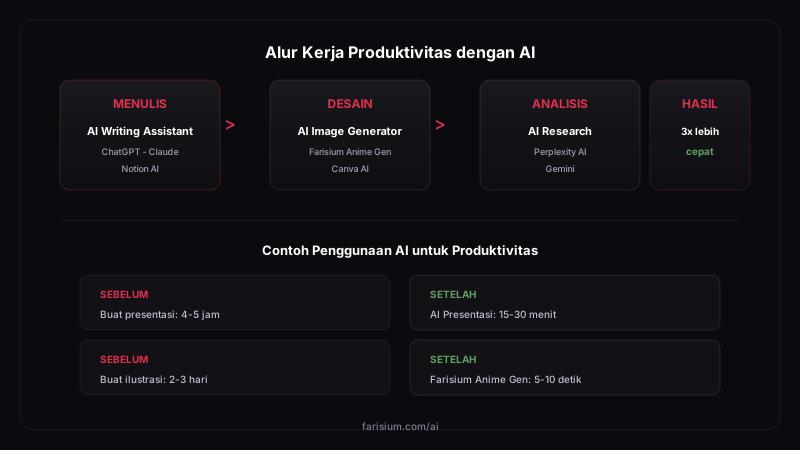
Tools like ChatGPT ↗, Claude, and Gemini can handle various writing needs. Use AI to create initial drafts, brainstorm ideas, or polish existing writing.
Tips for Using AI Writing Assistants
- Provide clear context: describe your target audience, platform, and content goal.
- Use chain prompting: request an outline first, then detailed content.
- Always edit AI output: AI is an assistant, not a replacement for your creativity.
- Fact-check: AI can make mistakes — verify important information before publishing.
AI for Images and Design
For visual content creators, AI image generation is a game changer. You no longer need to be a professional designer or photographer to create high-quality images.
AI Image Generation
Stable Diffusion, Flux, and DALL-E are leading AI image generation models. With just a text description, you can create illustrations, thumbnails, banners, or other visual content in seconds.
Farisium Anime Generator is a real-world example — using an AI generative pipeline optimized specifically for anime style with RTX GPU acceleration. At 1 FRSC per generation, content creators can create anime illustrations for social media, YouTube thumbnails, or promotional materials at a very affordable cost.
AI Design Tools
Tools like Canva ↗ and Adobe Firefly integrate AI into design workflows. Features like background removal, text-to-template, and smart resize enable content creators to produce professional visual materials without deep design skills.
AI for Video
Video production is becoming easier thanks to AI. Key areas where AI helps:
- Automatic subtitles: AI can transcribe and translate video content accurately.
- Video editing: tools like Runway ↗ and CapCut ↗ offer AI-powered editing features.
- Text-to-video: models like Sora and Kling are starting to generate short videos from text.
- Voice over: AI text-to-speech now sounds remarkably natural.
AI for Research and Analytics
Successful content creators do not just make content — they understand their audience. AI analytics tools can help with:
- Sentiment analysis of comments and audience feedback.
- Topic recommendations based on search and social media trends.
- Optimization of titles, thumbnails, and descriptions for engagement.
- Real-time content performance tracking.
How to Choose the Right AI Tools
With hundreds of AI tools available, choosing the right ones can be challenging. Use this framework:
- Identify specific needs: what is the main problem you want to solve?
- Start with free options: many AI tools have free tiers sufficient for beginners.
- Try before subscribing: use trial periods to evaluate fit.
- Consider the ecosystem: tools integrated with platforms you already use offer more value.
- Prioritize quality: cheap tools that produce poor results are a waste of time.
A One-Person Content Production Workflow with AI
Many successful creators today work completely solo — and AI is the reason that is possible. Here is a sample one-person workflow producing one long YouTube video, three shorts, and five social posts per week:
- Monday — Research and ideas (1-2 hours): use an AI chat to surface questions your audience keeps asking, validate with search data, and lock in one big topic.
- Tuesday — Scripting (2 hours): build the outline with AI, then rewrite it in your own voice with your own experiences. Never ship raw AI scripts — viewers can tell immediately.
- Wednesday — Visual production (3 hours): record the main video, then generate thumbnails and supporting illustrations with an AI image generator.
- Thursday — Editing and distribution (3 hours): edit with AI assistance (auto subtitles, highlight cuts), then have AI adapt the main content into captions for each platform.
- Friday — Analysis (1 hour): review last week's performance, note winning patterns, and feed them into next Monday's research.
That is roughly 10-11 hours per week — realistic for a creator who still has a day job. The key: AI handles volume and speed while you protect the ideas, perspective, and relationship with your audience.
Common Mistakes Beginner Creators Make with AI
- Publishing raw output without editing — audiences quickly spot generic content with no personality, and engagement drops fast.
- Chasing volume alone — thirty mediocre videos are weaker than eight in-depth pieces that truly answer audience questions.
- One prompt for every platform — Instagram captions, YouTube titles, and X threads all have different rhythms. Always request per-channel adaptations.
- Ignoring performance data — AI needs feedback; without reviewing metrics, you will keep producing similar content even when it does not perform.
- Forgetting licensing and copyright — always check each AI tool's commercial-use terms before you monetize your content.
Conclusion
AI has become an inseparable part of the modern content creation workflow. Content creators who can leverage AI tools wisely will have a significant competitive advantage: faster, more productive, and capable of producing higher quality content.
The key is to make AI a collaborator, not a replacement. Use AI for repetitive and technical tasks so you can focus on what matters most: creativity and connection with your audience.
To further boost your productivity, use the SEO Caption Generator to create SEO-friendly product captions for social media and marketplaces. Also read our guide on AI for Work Productivity, covering AI techniques and tools for various professional needs.
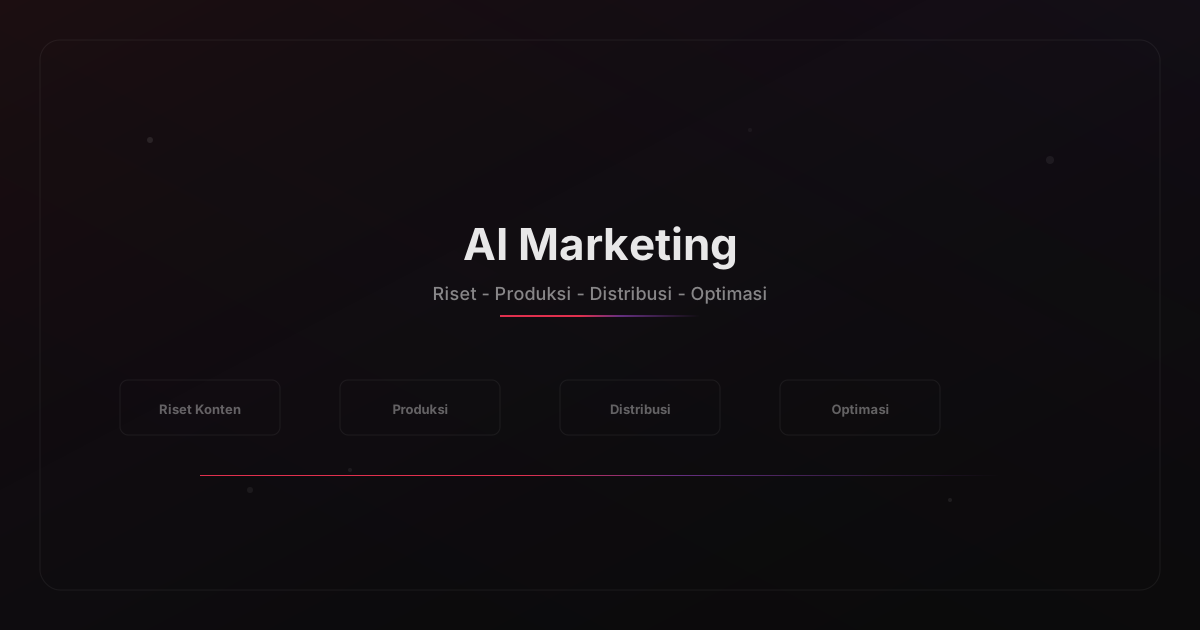
Also explore our guide on AI for Content Marketing to learn how AI can streamline your content marketing research, production, and distribution processes.
If you are interested in using AI for business, read our complete guide on AI for Small Businesses and SMEs 2026 covering tools and implementation strategies for small and medium enterprises.
Start your AI content creation journey
Explore Farisium AI ToolsFrequently Asked Questions
No. AI is a productivity tool, not a replacement for human creativity. Original ideas, personal voice, and emotional connection with audiences are things AI cannot replicate.
It ranges from free to hundreds of dollars per month. For beginners, a combination of free tools like ChatGPT, Farisium Anime Generator, and Canva is sufficient to get started.
It depends on each platform's license. Most tools, including Farisium Anime Generator, allow commercial use. Always check each platform's terms and conditions.
Start with: an AI writing assistant (ChatGPT), an AI image generator (Farisium Anime Generator for anime, Canva for general design), and an AI video editor (CapCut for beginners). You can also read our complete guide on using AI to improve work productivity.
Related Articles
What Is Open Source AI? Definition, Platforms, and How to Choose
What is open source AI? A complete guide to how it differs from proprietary AI, popular platforms like TensorFlow and PyTorch, and how to choose wisely.
What Model Does AI Mode on Google Use? Everything You Need to Know
What model does AI mode on Google use? The full answer: Gemini 3 behind AI search, its key features, limitations, and how to access it in 2026.
AI for E-commerce Business: Strategies and Tools 2026
AI e-commerce guide for 2026: boost sales with personalization, chatbots, and supply chain optimization. Complete strategies and tools for online stores.

M. Faris Deni K.
Agentic AI Leader. Writing about AI, technology, and platform development.