
Google’s New Feature Lets You Save an Item’s Location Without a Tracker
Google added a feature to Find Hub that lets you save where you put your passport, spare key, or anything else — no Bluetooth tracker needed. Here’s how it works.
Try to remember the last time you put your passport "somewhere safe" and then completely forgot where that was. Or the spare key hanging on some nail in the garage that you are pretty sure exists but cannot picture the exact spot. These problems are minor on paper, yet they always manage to turn a calm morning into a mild panic.
Up to now, the usual fix has been slapping a Bluetooth tracker on anything important. That works fine for keys or a backpack, but it costs money, needs a battery, and obviously cannot be attached to everything — you are not sticking a tracker onto a passport or a stack of cash. With the update Google is calling the September 2026 Android Drop, there is finally a more practical answer: you can save an item’s location just by talking or typing, no hardware involved.
So What Exactly Does This Feature Do?
It lives inside Find Hub, Google’s device-finding service formerly known as Find My Device. Until now, Find Hub could only locate things that had a physical tag attached or devices already linked to your Google account. The new part is that Gemini is now built directly into it.
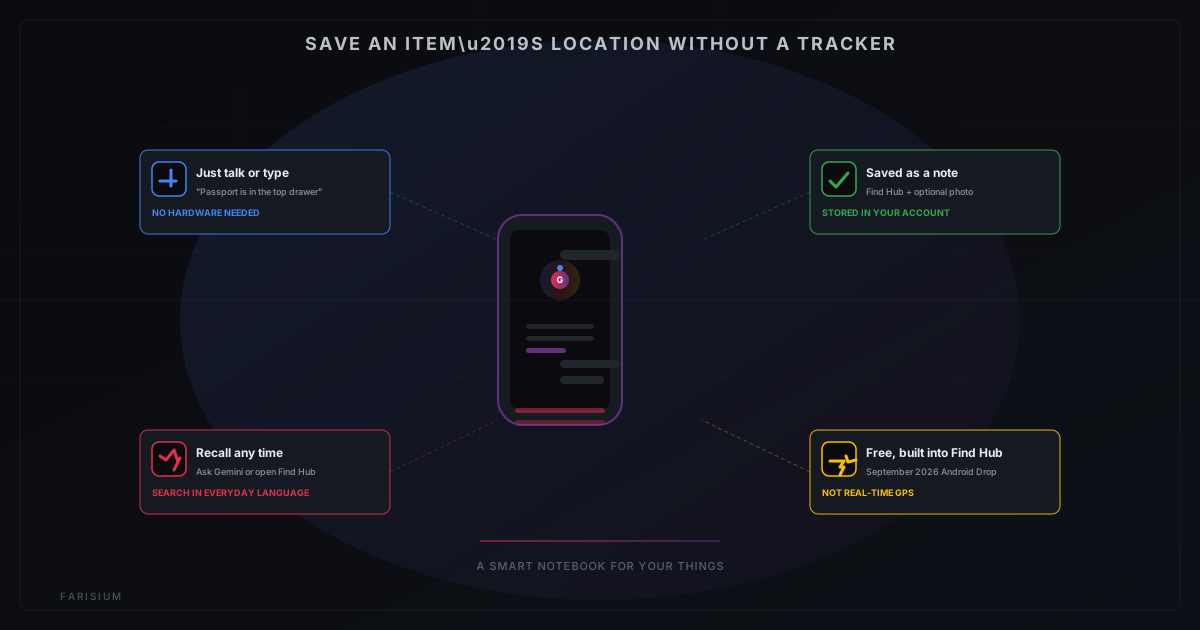
The idea is simple. You tell Gemini where you put something — "remind me that my passport is in the top drawer of the bedroom dresser" — and that gets saved as a note inside Find Hub, with the option to attach a photo of the item. Later, when you inevitably forget, you open Find Hub or just ask Gemini, and the note pops back up.
One thing worth being clear about: this is not real-time GPS tracking like a physical tag gives you. Think of it more as a smart notebook that organizes itself and can be searched using plain, everyday language — it does not know whether the item has actually moved since you wrote the note.
How This Differs From a Regular Bluetooth Tracker
Whenever people talk about tracking down a lost item, the first thing that comes to mind is usually a Bluetooth tag clipped to a wallet, bag, or keychain. This new feature takes almost the opposite approach, and the two end up complementing each other rather than competing.
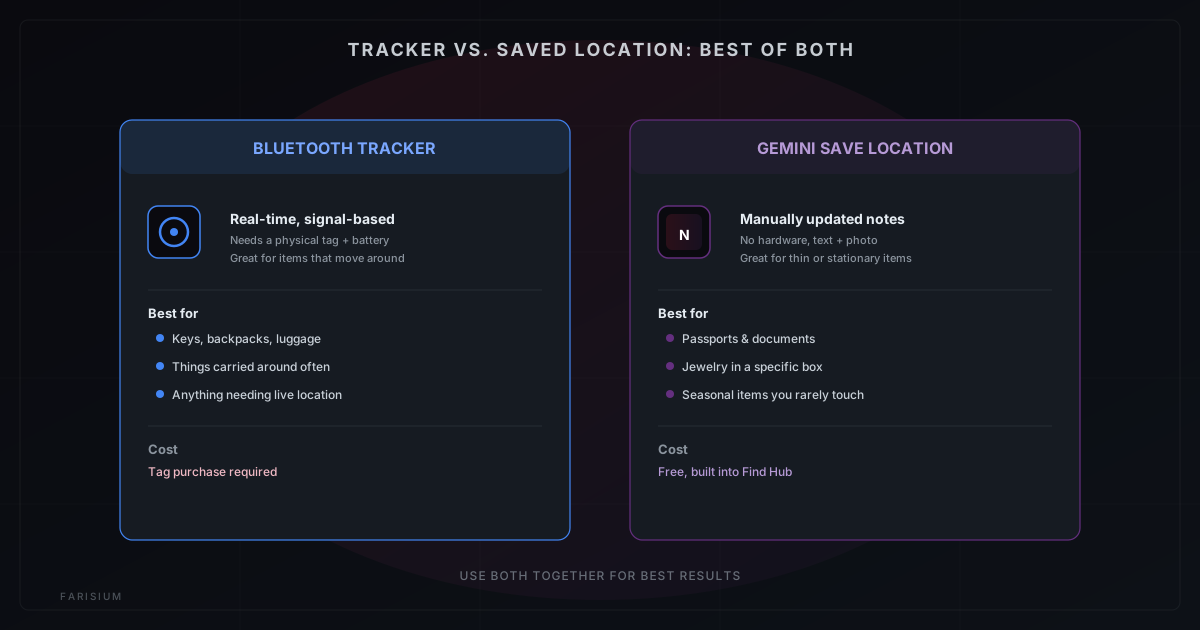
A Bluetooth tracker makes sense for things that move around a lot and need to be locatable at any moment — a suitcase during a flight, or a bag that occasionally gets left in someone else’s car. The save location feature is better suited to things that rarely move but are easy to forget the whereabouts of: important documents, jewelry tucked into a specific box, a spare key, or seasonal items you only touch once a year, like holiday decorations.
What You Need Before You Can Use It
A few things need to be in place before this shows up on your phone:
- Your device has received the September 2026 Android Drop update. The rollout is staggered, so not every phone gets it on the same day.
- The Google app and Find Hub are updated to their latest versions through the Play Store.
- You are signed into a Google account with sync turned on, since these notes live in your account rather than just on the device.
- You have an active internet connection both when saving a note and when retrieving it later.
If Find Hub does not show this option after updating, your device likely just has not been included in the rollout yet. It tends to catch up within a few weeks — the same staggered pattern we saw with the security features of Android 17.
How to Save an Item’s Location Without a Tracker
Here is the actual process:
- Open Gemini or the Google app on a device that has received the update.
- Say or type where the item is, using natural phrasing — something like "remind me the spare key is in the top drawer of my desk."
- Attach a photo if it helps, especially for items that look similar to others around them.
- Confirm the save. The system automatically files the note under Find Hub.
Getting the information back is just as straightforward:
- Open the Find Hub app.
- Search for the item by name, or simply ask Gemini something like "where did I put my passport?"
- The saved note, along with the photo if you added one, shows up right away.
Limitations Worth Knowing About
To keep expectations realistic, there are a few catches:
- This relies entirely on what you tell it. If someone else moves the item and you do not update the note, the information you get back will be wrong.
- It is not a physical tracker. There is no signal, no proximity radar, no distance estimate the way a Bluetooth tag provides.
- The data sits inside your Google account, so anyone with access to that account can potentially see these notes too. If you are tempted to log the location of a large stash of cash, it is worth thinking twice.
Bluetooth Tracker vs. AI-Saved Location: Which One Fits?
The two options differ across a few important dimensions:
- Hardware required: a Bluetooth tracker needs a physical tag, while the save location feature needs no extra hardware.
- Items that move around: a Bluetooth tracker is very good for these, while the save location feature is not really suited.
- Thin items like documents: a tag is hard to attach, while the save location feature is very good here.
- Type of tracking: a tracker is real-time and signal-based, while this feature relies on manually updated notes.
- Cost: a tracker requires a tag purchase, while this feature is free and built into Find Hub.
In practice, using both together works best. Items you carry around often are still safer with a physical tracker, while things you carefully put away and then promptly forget are exactly what this new feature is for.
It is also part of a broader shift where Google is embedding its assistant more deeply into daily life, something you can explore in the explainer on Google AI Mode and our view on the future of AI in Indonesia. For official Android update announcements, keep an eye on the official Google Android blog ↗.
Final Thoughts
It is a small feature, but it quietly solves a problem that never really had a good solution: items too thin, too small, or too rarely used to bother tagging. If you are the type who is constantly asking yourself "wait, where did I put that," it is worth checking whether your phone has picked up this update yet, and getting into the habit of logging a location the moment you put something important away.
It is a small habit that can save you from the two-hours-before-the-flight passport panic. While you wait for the roll-out, you can start getting comfortable with an ever-closer AI ecosystem through tools that are easy to use.
Explore Farisium AI tools and discover other ways to use AI for a more organized everyday life
Explore Farisium AI ToolsFrequently Asked Questions
Not yet. The rollout is staggered and depends on the Android version and Google app update each device has received.
No, it is part of Find Hub, which comes preinstalled and free to use.
A Find Hub tag is a physical accessory attached to an item that can be located in real time. This feature is purely a text-and-photo note you create yourself, with no hardware involved.
The data stays inside your personal Google account and is not shared publicly. That said, anyone who gains access to your account could see it too, so keeping your account secure still matters.
As long as you sign in with the same Google account, the notes stay synced and accessible from the new device.
Related Articles
Android 17: New Features, Security Upgrades, and AI’s Growing Role in Chrome
Android 17 focuses on security first: anti-theft protection on by default, stricter PIN attempt limits, on-device AI threat detection, and Gemini coming to Chrome on Android.
How to Use AI for Research Without Hallucinations: A 7-Step Verification Workflow for 2026
Learn how to use AI for research without blindly trusting its answers. This practical 7-step workflow helps you verify sources, detect hallucinations, fact-check claims, and produce more reliable research.
ChatGPT for Teens: What Parents Need to Know About OpenAI's New Safety Mode
OpenAI launched ChatGPT for Teens on August 18, 2026. Here's how age prediction works, what parental controls actually do (and don't), and the gaps parents should still watch for.

M. Faris Deni K.
Agentic AI Leader. Writing about AI, technology, and platform development.