
ChatGPT for Teens: What Parents Need to Know About OpenAI's New Safety Mode
OpenAI launched ChatGPT for Teens on August 18, 2026. Here's how age prediction works, what parental controls actually do (and don't), and the gaps parents should still watch for.
If your teenager has used ChatGPT for homework help, brainstorming, or just talking through a problem, that experience changed on August 18, 2026. OpenAI rolled out ChatGPT for Teens, a version of the product that automatically activates for anyone the system identifies as being between 13 and 17 — with tighter content limits, study-focused tools, and a genuine (if limited) parental controls system.
This isn't a separate app your teen has to download, and it isn't something you need to manually turn on. It works in the background, which is exactly why it's worth understanding what it actually does, what it doesn't do, and where the real gaps still are.
What Is ChatGPT for Teens?
ChatGPT for Teens is a restricted experience layer applied on top of the regular ChatGPT product. It isn't a separate app or a stripped-down version with fewer features — teens still get the same core capability, but with additional protections layered on by default and a model specification that behaves differently around sensitive topics.
OpenAI began a gradual global rollout starting August 18, 2026, with full availability expanding over roughly two weeks (some regions, like Australia, are expected to reach full availability by early September).
How Age Prediction Actually Works
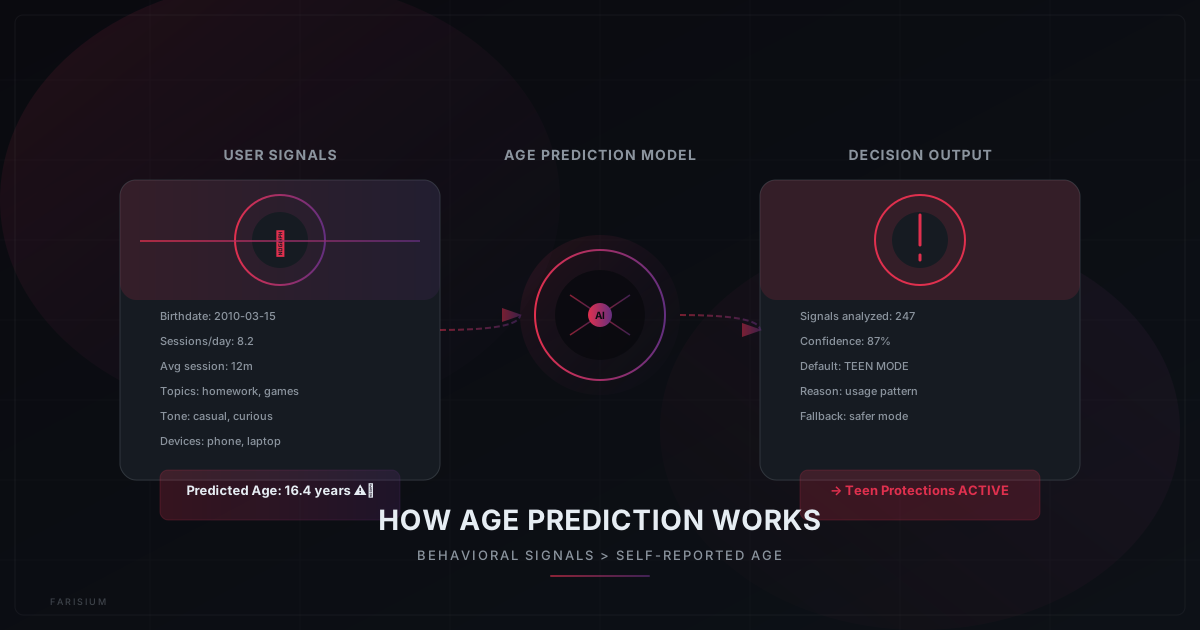
A teen account gets flagged in one of three ways: the user states their age is between 13 and 17, their verified age falls in that range, or OpenAI's age-prediction system estimates they're under 18 based on account and behavioral signals — how the account is used, not just what birthdate was entered.
That last part matters more than it sounds. It means an account could still be routed into the teen experience even if an adult birthdate was entered previously, if usage patterns suggest otherwise. OpenAI has said that when the system isn't confident about someone's age, it defaults to the safer, more restricted experience rather than the adult one.
What Actually Changes for Teen Accounts
The teen experience isn't just a content filter bolted on top. Several behaviors are built directly into how the model responds:
- Stricter handling of self-harm, eating disorders, and violence — the model is trained to redirect rather than engage on these topics.
- No romantic or flirtatious language, and no terms of endearment directed at the teen.
- The model is instructed not to suggest it has feelings, consciousness, or emotions, specifically to reduce emotional dependence and parasocial attachment.
- More frequent break reminders during long sessions, including explicit reminders that the teen is talking to AI, not a person.
- Warnings before uploading images that could be private or sensitive.
These restrictions apply regardless of what parental controls are set — they're baked into the teen experience itself, not an opt-in layer.
Study Mode: The Learning Half of the Update
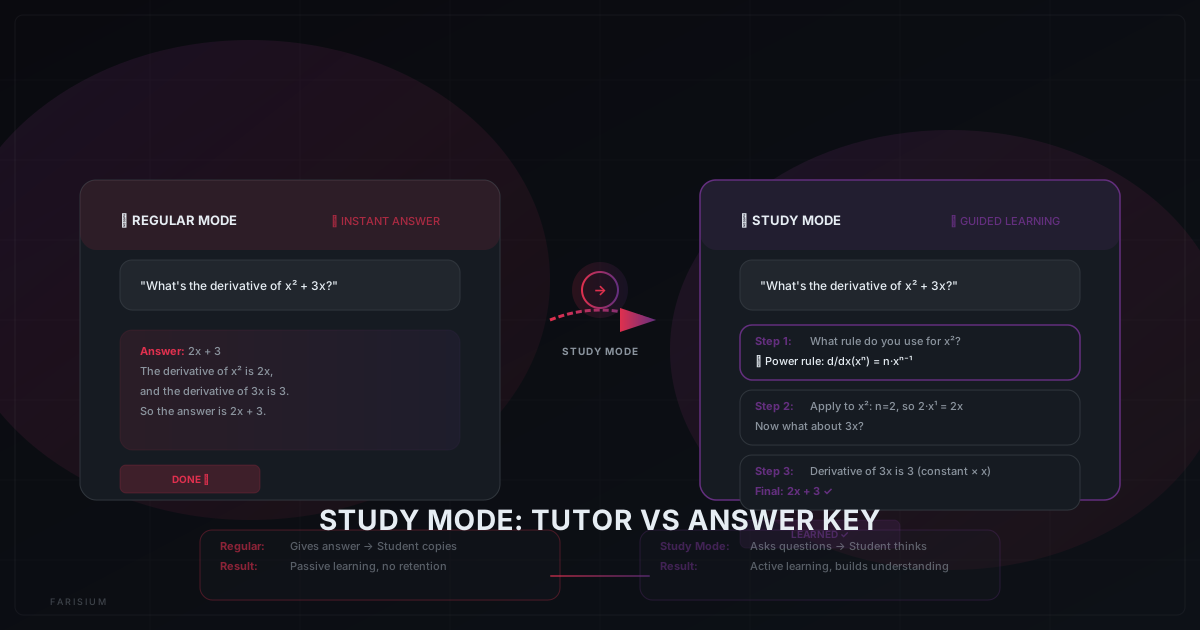
Alongside the safety changes, OpenAI introduced Study Mode, which changes how ChatGPT responds to homework-style questions. Instead of producing a finished answer, it walks the teen through guiding questions and step-by-step reasoning, closer to how a tutor would handle it than how a search engine would.
Parents can enable Study Mode as the default for every new chat directly from Parental Controls, which is a meaningful distinction — without that setting, a teen can still ask for direct answers outside Study Mode.
Parental Controls: What Parents Can and Cannot Do
This is the part most likely to get misunderstood, so it's worth being precise. Parents link their account to a teen's account through an email invitation — the teen has to accept it, it isn't something a parent can force silently.
Once linked, parents can:
- Set quiet hours that restrict when ChatGPT can be used.
- Enable Study Mode by default for every new conversation.
- Disable specific features, including memory and chat history.
- Receive notifications if the system detects signs of acute distress in the teen's account.
What parents cannot do: read their teen's actual conversations. That's the trade-off OpenAI has been explicit about — the system is built to preserve some level of privacy for teens while still giving parents a safety net for genuinely serious situations. Notifications are narrow by design and aren't meant to trigger over ordinary things like fictional writing, gaming chatter, political opinions, general frustration, or abstract questions. In rare emergencies where a parent can't be reached, OpenAI says law enforcement may be involved as a next step.
How to Set Up Parental Controls
- From your own ChatGPT account, go to Parental Controls in settings.
- Send a linking invitation to your teen's account by email — they need to accept it for the link to activate.
- Once linked, review and adjust quiet hours, Study Mode default, and which features (like memory) are enabled.
- Confirm your teen's account reflects their actual age, since accuracy affects which protections apply automatically.
What This Doesn't Solve
It's worth being honest about the limits here, because treating this as a complete solution would be misleading. Age prediction is an estimate, not a verification system — a determined teen can still misrepresent their age, and a false positive could route an adult into unnecessary restrictions. Parental controls only work if both accounts are actually linked, which requires the teen's cooperation. And a teen who wants to avoid oversight can simply use a different account, a different device, or a different AI product entirely — this update only covers ChatGPT, not the dozens of other chatbots teens have access to.
The more useful mindset is treating this as one layer among several, not a replacement for an ongoing conversation with your teen about how they're actually using AI day to day.
Conclusion
ChatGPT for Teens is a real step forward, not a marketing gesture — the content restrictions are built into the model itself, and the parental tools go further than a simple filter. But it's still an estimate-based system with real gaps, and it only covers one product in a landscape where teens have access to many. If you're thinking more broadly about AI safety in your household, read about AI voice cloning scams and how to recognize them for another angle on protecting your family from AI-related risks.
Explore how AI tools can be used safely and productively
Explore Farisium AI ToolsFrequently Asked Questions
Yes. If OpenAI's system determines an account belongs to someone under 18 — through stated age, verified age, or age prediction — the teen protections activate automatically. There's no separate app to download and no manual toggle a teen needs to switch on.
From your own account's settings, open Parental Controls and send a linking invitation to your teen's account by email. Your teen needs to accept the invitation before the link activates — it isn't something you can enable one-sidedly.
The core capability is the same, but the teen version applies stricter handling of self-harm, eating disorder, and violence-related topics, removes romantic or affectionate language, avoids implying the AI has feelings, adds more frequent break reminders, and gives parents limited oversight tools like quiet hours and distress notifications.
No. Parental controls do not give access to conversation content. Parents can adjust settings like quiet hours and Study Mode, and may receive a notification if the system detects signs of acute distress — but the actual chat content stays private.
Related Articles
Google’s New Feature Lets You Save an Item’s Location Without a Tracker
Google added a feature to Find Hub that lets you save where you put your passport, spare key, or anything else — no Bluetooth tracker needed. Here’s how it works.
Android 17: New Features, Security Upgrades, and AI’s Growing Role in Chrome
Android 17 focuses on security first: anti-theft protection on by default, stricter PIN attempt limits, on-device AI threat detection, and Gemini coming to Chrome on Android.
How to Use AI for Research Without Hallucinations: A 7-Step Verification Workflow for 2026
Learn how to use AI for research without blindly trusting its answers. This practical 7-step workflow helps you verify sources, detect hallucinations, fact-check claims, and produce more reliable research.

M. Faris Deni K.
Agentic AI Leader. Writing about AI, technology, and platform development.