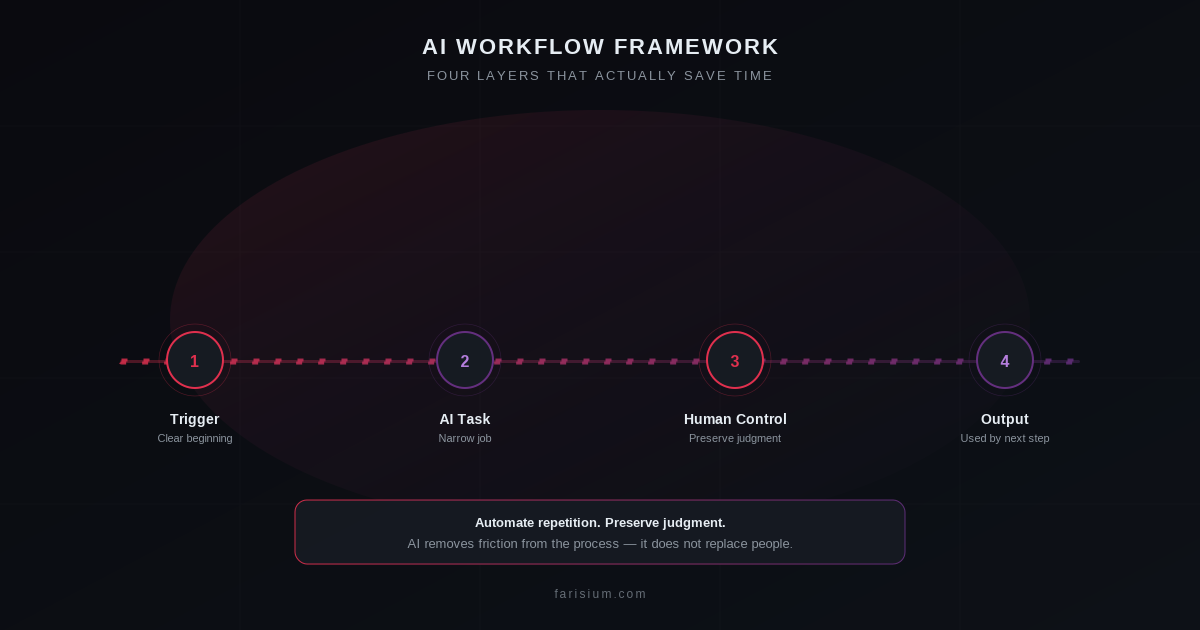
The short answer: an AI workflow that actually saves time has four layers — tidy input, a clear AI step, human review matched to risk, and output stored where it can be found. Most workflows fail not because the AI is bad, but because one layer is missing: nobody checks the result, or the input is messy so the result has to be fixed by hand.
This article was rewritten in November 2026. Its structure was tightened from 33 headings to a dozen, the best material from the productivity article merged into it — the 5-day delegation challenge — is now included, and the unsourced figures about the share of time spent on administrative tasks have been removed from both articles.
The Four-Layer Model
Layer 1 — Input: the task arrives in a processable form. Emails, meeting notes, or raw data are collected in one place in a consistent format. Messy input is the first cause of messy AI output.
Layer 2 — AI processing: one clear AI task per step. For example: summarise this email thread into three decision points; turn these meeting notes into a task list with owners. One step, one task, one result.
Layer 3 — Human review: the result is read before it is used. How carefully depends on the risk — this is the review ladder (see below).
Layer 4 — Output and archive: results are stored where they can be found again — a document, a spreadsheet, or a task system — together with the prompt or template used, so the workflow can be repeated.
The Review Ladder: How Carefully Must You Check?
- Low risk (internal drafts, summaries for yourself): skim, fix what looks off. A 1-2 minute check.
- Medium risk (emails to the team, internal reports, social media content): read fully, check figures and names. A 5-10 minute check.
- High risk (messages to clients, financial figures, promises and prices): read fully and verify every figure against its source. Never send AI output without this check.
The rule is simple: the bigger the impact of a mistake, the higher the rung. A time-saving workflow is not one without review — it is one whose review matches its risk.
Fail-Safe Behaviour: What Happens When AI Fails?
Every workflow needs defined behaviour on failure. Decide in advance: if the AI result is empty, strange, or wrongly formatted, the workflow stops and tells you — it does not send the result anyway. Keep the original input so you can redo the step manually. For scheduled tasks, set a limit: if it fails twice in a row, switch the automation off until you have checked the cause.
Worked Example: A Weekly Sales Recap
A small team recaps sales every Friday from a spreadsheet and chat. Before: one person spent about an hour copying figures and writing the summary. The new workflow: sales data goes into one spreadsheet in a fixed format (input layer); AI summarises it into three parts — total sales, the three best-selling products, and anything odd (processing layer); the owner reads the summary and checks the total against the spreadsheet (review layer, medium risk); the summary is stored in a shared document (output layer). The time spent falls to about 15 minutes, and most of that time is review — which is exactly how it should be.
The 5-Day Delegation Challenge
This challenge, previously in the productivity article, is the fastest way to feel whether AI workflows fit you. One task a day, 15-30 minutes:
- Day 1 — Email: ask AI to sort your inbox into three groups (needs a reply today, can wait, archive) and draft replies for the first group.
- Day 2 — Meetings: ask AI to turn meeting notes into a task list with owners and deadlines.
- Day 3 — Writing: write a rough draft yourself, then ask AI to tidy its structure and language — do not ask AI to write from scratch.
- Day 4 — Data: ask AI to summarise one report or spreadsheet into five key points with quoted figures.
- Day 5 — Decide: of those four days, which actually saved time? Keep what proved itself, drop what did not, and make one workflow permanent.
How to Measure Whether Your Workflow Really Saves Time
- Record the before time: how many minutes the task took over a week before using AI.
- Record the after time: time using AI plus time reviewing the result. Both count — review is part of the workflow.
- Decide by the numbers: if the total has not fallen after two weeks, the workflow is wrong, not the AI. Fix the input or the review, or stop.
Common Mistakes
- Automating a messy process: tidy the flow first, then automate.
- One workflow for everything: each task needs its own input, review, and output.
- No owner: every workflow needs one person responsible for checking it.
- Measuring success by how much AI you use, instead of by how much time you save.
Conclusion
A time-saving AI workflow is not the most advanced one, but the most disciplined: tidy input, one task per step, review matched to risk, and stored output. Start with one task, measure the time, and keep only what proves itself.